Ghost Tapping, The Invisible Threat Targeting Your Contactless Payments
Ghost Tapping, The Invisible Threat Targeting Your Contactless Payments
Ghost tapping is a growing scam that targets contactless payment systems, including tap-to-pay cards and mobile wallets like Apple Pay and Google Pay. It allows criminals to steal money remotely by using wireless technology to make payments without physically touching the victim's device or card. This invisible tapping technique can happen in public spaces, making it difficult for individuals to notice or prevent.
The scam often begins with victims unknowingly installing malicious apps or clicking on fake links, which give hackers control over their devices. Using tools that exploit Near Field Communication (NFC) technology, fraudsters can execute multiple unauthorized transactions, often bypassing traditional security methods. Awareness and understanding of ghost tapping are essential to staying protected against this subtle form of financial theft.
What Is Ghost Tapping?
Ghost tapping is a method used by criminals to exploit contactless payment technologies without physically touching the victim's device. It targets specific devices and settings, allowing unauthorized transactions to occur stealthily and in public places. The practice is linked to the growing use of tap-to-pay credit cards and mobile digital wallets.
Definition and Overview
Ghost tapping is a form of fraud that involves using wireless devices to make unauthorized payments via near-field communication (NFC) technology. Scammers activate the contactless payment function on a victim’s card or mobile wallet remotely, often without the owner’s knowledge. Unlike traditional card theft, the scammer doesn’t need to physically handle the card.
The method often bypasses typical security measures due to the passive and brief nature of the communication between devices. Payments can be made rapidly and invisibly, allowing multiple purchases or data theft events across different locations. It is considered a growing threat as contactless payments become more common and preferred by consumers.

Common Devices Affected
Ghost tapping primarily targets NFC-enabled credit and debit cards, as well as smartphones and smartwatches with digital wallets like Apple Pay and Google Pay. Any device that supports tap-to-pay functionality and stores payment credentials without requiring additional verification is vulnerable.
This includes both physical cards with built-in RFID chips and mobile devices configured for contactless payments. Some criminals exploit software tools designed to intercept or mimic NFC signals. Devices left unlocked or with contactless payment enabled by default are at greater risk.
Examples of Ghost Tapping in Daily Life
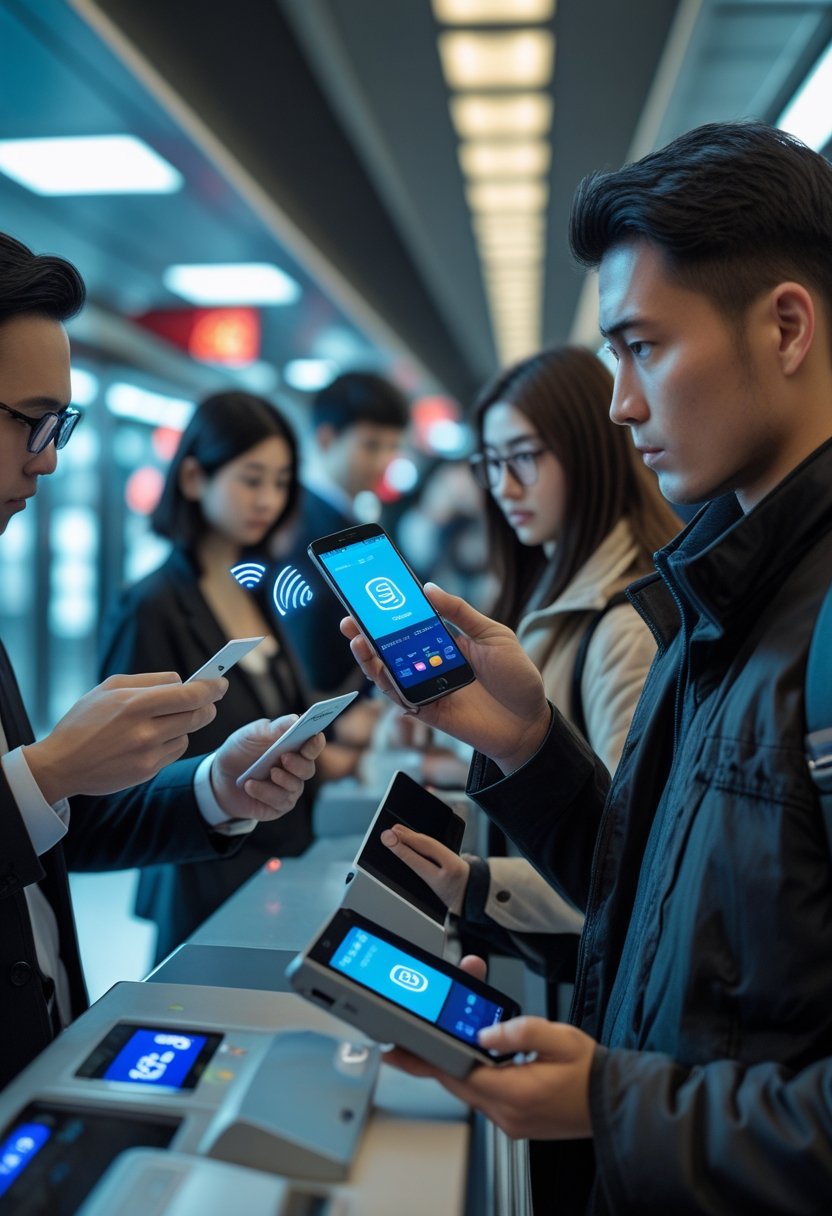
In crowded public spaces like subways, shopping malls, or public transportation, scammers use portable NFC readers to "ghost tap" wallets or phones in close proximity. The victim remains unaware while small transactions are processed.
Another example includes simultaneous purchases at multiple locations, making it harder to track or stop the fraudulent activity immediately. Since the payments are contactless, this scam can occur without leaving obvious signs of theft or loss to the consumer.
Protection measures include disabling contactless payment features when not needed and monitoring bank statements regularly.
Causes of Ghost Tapping
Ghost tapping can result from a variety of underlying factors involving hardware problems, software malfunctions, environmental influences, and user-related actions. Understanding these causes helps identify why unintended taps or transactions occur on devices with touchscreens and contactless payment systems.

Hardware Issues
Hardware failures in touchscreens are a primary cause of ghost tapping. Faulty digitizers, which detect touch, can register phantom inputs when damaged or worn out. This often happens when screens have physical cracks, expose moisture, or have uncalibrated sensors.
Electrical interference within the device’s circuitry may also trigger unintended touches. Poor grounding or short circuits can cause erratic signals, mimicking legitimate taps.
Older devices with aging components are particularly vulnerable. These issues can lead to false tap detection during sensitive operations like mobile payments, increasing security risks.
Software Glitches
Software bugs or corrupted operating system files frequently cause ghost tapping. Malfunctioning drivers for touchscreen controllers can misinterpret signals, generating phantom inputs. Certain apps, especially malicious or poorly designed ones, may interfere with touch processing.
Ghost tapping can also arise from exploits that hackers use to remotely control phones. Malicious apps or links can install hidden malware designed to simulate ghost taps to steal financial information.
Frequent updates and patches are necessary to minimize such risks. However, outdated or unsupported software remains susceptible to these glitches.
Environmental Factors
Environmental conditions impact touchscreen accuracy, contributing to ghost tapping. Extremely humid or wet environments create moisture layers, causing false touches. Similarly, cold temperatures can cause hardware to respond irregularly.
Electrical noise from nearby wireless devices or power sources also interferes with touch sensors, particularly contactless payment terminals. This interference can relay false taps or repeated transactions without user intent.
Users in crowded spaces with active NFC devices nearby may experience accidental tap detections. Environmental contamination like dust or greasy residues on screens magnify these effects.
User-Induced Triggers
User behavior can unintentionally cause ghost tapping. Placing the device in a pocket or bag may press the screen inadvertently. Using screen protectors or cases not compatible with certain devices alters touch sensitivity and leads to false taps.
Clicking on suspicious links or downloading unreliable apps may install malware, enabling cybercriminals to trigger ghost taps remotely. Neglecting device security settings, such as disabling screen lock, increases vulnerability during accidental contact.
Proper user habits and regular device maintenance can reduce risks linked to these triggers.
How to Identify Ghost Tapping
Ghost tapping causes specific signs that users can observe in their devices. Recognizing these signs, using proper diagnostic steps, and knowing how to differentiate ghost tapping from regular touchscreen issues all help protect against fraud and unauthorized access.
Early Warning Signs
Unexpected screen activity is the primary sign of ghost tapping. This includes apps opening without user input or random taps registering on menus or buttons. Users may notice transactions or payment confirmations they did not authorize.
Another warning is frequent, unexplained pop-ups or system alerts. Some devices may experience delayed responses or unresponsiveness at times, which can indicate interference from a malicious source. Battery drain or overheating may also increase due to unauthorized wireless activity linked to ghost tapping.
Diagnostic Methods
Checking installed apps is essential. Unrecognized or recently added apps, especially those with broad permissions, can be a red flag. Running anti-malware scans helps identify and remove potential threats causing ghost tapping.
Users should also observe device behavior in safe mode or after disabling suspicious apps. Using connectivity monitors can reveal unusual NFC or Bluetooth activity, which often supports ghost tapping scams. Regular software updates further secure devices against such intrusions.
Distinguishing from Other Touchscreen Problems
Ghost tapping differs from hardware faults like screen damage or dirt on the touchscreen. Physical issues typically cause consistent problems such as dead spots or erratic single-point touch errors.
In contrast, ghost tapping involves intermittent, multi-point inputs that seem random and can trigger actions across multiple apps. Restarting the device usually temporarily stops hardware problems but may not stop ghost tapping without removing malware or targeted signals.
Using simple tests like touchscreen calibration or cleaning the screen can rule out physical issues, focusing attention on potential security threats instead.

Effective Solutions for Ghost Tapping
Addressing ghost tapping requires immediate actions to stop ongoing fraud and strategic measures to prevent future attacks. Knowing when to escalate the situation to professionals is also crucial for comprehensive protection.
Quick Fixes
The first step is to disable tap-to-pay features on mobile devices or cards suspected of being targeted. Users should temporarily remove credit or debit cards from mobile wallets like Apple Pay or Google Pay.
Changing account passwords and enabling two-factor authentication (2FA) immediately helps block unauthorized access. It's important to monitor banking and transaction alerts for unfamiliar activity, allowing rapid response to fraudulent charges.
Users should avoid clicking on suspicious links or downloading unknown apps, as these can install malware facilitating ghost tapping. Restarting the device and scanning for malware with reputable security software can stop active threats.
Long-Term Repairs
Regularly updating device operating systems and payment apps closes vulnerabilities exploited by ghost tappers. Setting a transaction limit or requiring PIN verification for contactless payments adds an extra layer of security.
Users can also disable NFC when not in use, reducing the risk of unauthorized communication with attackers’ devices. Reviewing and adjusting privacy and security settings within mobile wallet applications ensures minimal exposure to data leaks.
Establishing habits such as carrying cards away from public NFC readers and using RFID-blocking wallets physically protects against wireless skimming attempts.
When to Seek Professional Help
If unusual charges persist despite self-help efforts, contacting the bank or payment provider is necessary. They can freeze accounts, issue new cards, and investigate suspicious patterns.
Reporting the incident to relevant cybercrime or consumer protection agencies helps track and combat ghost tapping scams on a larger scale.
Consulting cybersecurity experts or using professional malware removal services is advised if devices show signs of persistent compromise. These specialists can perform in-depth scans and implement advanced protective measures.
Preventing Ghost Tapping in the Future
Taking specific steps with devices, accessories, and surroundings can reduce the chances of ghost tapping. These measures focus on protecting hardware, improving physical barriers, and controlling environmental threats.
Best Practices for Device Care
Regularly updating a device’s operating system and apps is crucial. Updates often patch security vulnerabilities that scammers could exploit to initiate ghost tapping.
Users should avoid downloading apps from untrusted sources and be cautious when clicking on links in texts or emails. These are common entry points for malware that enables ghost tapping.
Disabling tap-to-pay or NFC capabilities when not needed limits the window of opportunity for scammers. Turning off these features in settings adds a layer of defense.
Recommendations for Screen Protectors
Using a high-quality screen protector can physically reduce the likelihood of ghost taps. Tempered glass protectors are preferable because they minimize unintentional screen activations caused by external factors.
Some screen protectors come with anti-smudge or anti-glare coatings, improving touch sensitivity control. These provide a better barrier against accidental taps or remote manipulations.
While screen protectors are not a direct security tool, their quality and fit can indirectly prevent ghost tapping triggered by false contact or sensor misreadings.
Environmental Precautions
Avoiding crowded or public areas where NFC skimming devices might be used is important. Ghost tappers often act in places with many people to mask their activity.
Keeping devices in bags or pockets with RFID-blocking materials reduces the chance of unauthorized contactless access. Special wallets or sleeves designed for this purpose can be effective.
Maintaining awareness of surroundings when using tap-to-pay functions is another key control. Users should verify the legitimacy of payment terminals and avoid immediate taps after receiving suspicious messages.


